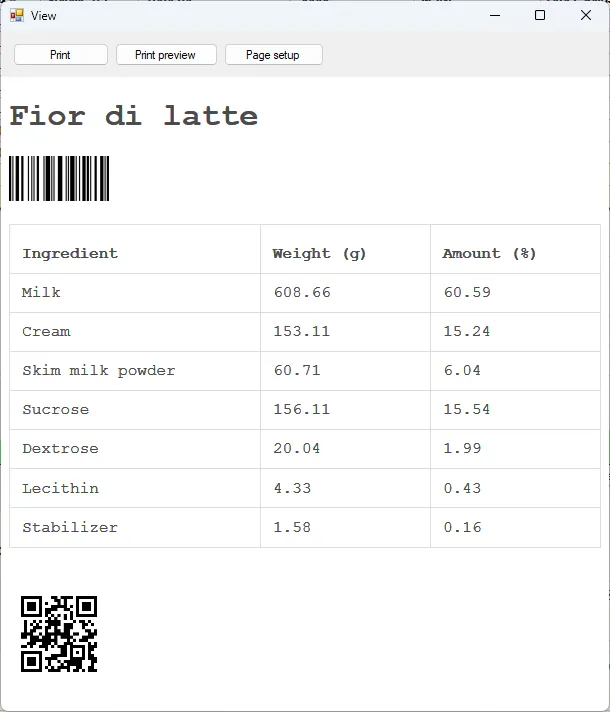
Print Dialog
Controls the content when printing a recipe and the PDF export.
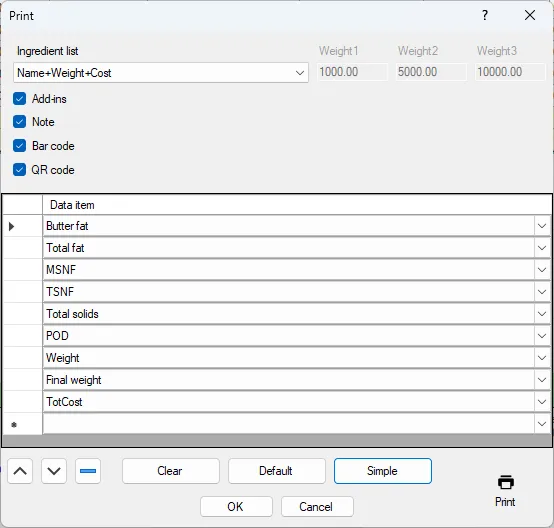
Ingredient list
This drop down have several options for the ingredient list.
Weight 1-3
You can print the ingredient list using up to three extra total weights of the recipe. This is where you set the weights for these extra columns.
Add-Ins
If add ins should be printed
Note
If the note should be printed
Bar code
If the bar code should be printed
QR code
If the QR code should be printed.
Data
Here you can also add Data to be printed with the recipe. Use the buttons below to clear the list or set default or simple selection of data.
Print the recipe.